Enterprise Farm Accounting Software for Growing Agricultural Operations
Connect your farm finances with day-to-day operations to understand your true cost of production, improve reporting accuracy, and give lenders, advisors, and business leaders the confidence to make better decisions, all from one farm accounting software solution built for all types of agricultural businesses.
Run a More Profitable, Better-Managed Farm Operation
From tracking production costs to simplifying financial reporting, our farm accounting software built on top of Microsoft Dynamics 365 and NetSuite gives finance teams the visibility and control to manage growing agricultural businesses with confidence.
Production Cost Visibility
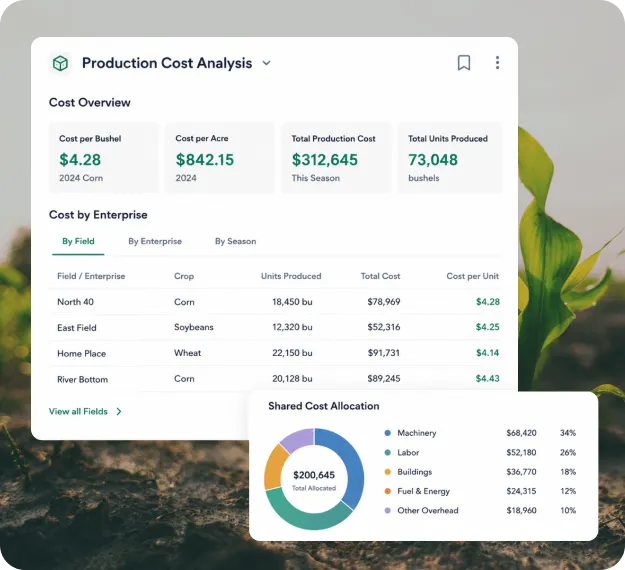
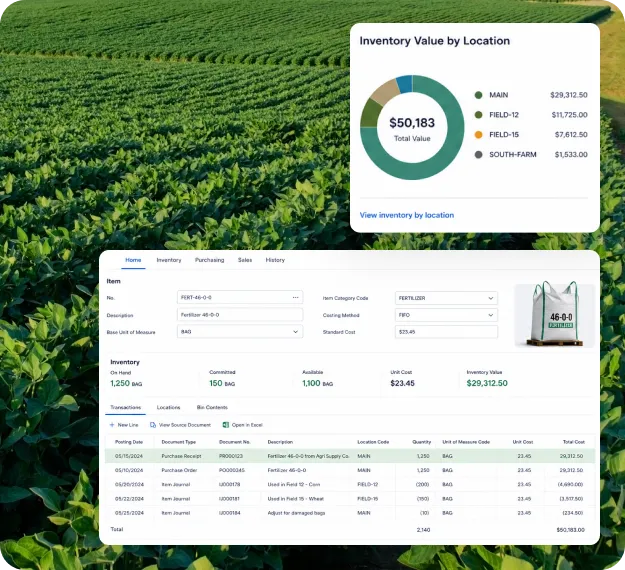
Know Your True Cost of Production
Stop finding out what last season cost you after it's already over. Use agriculture accounting software to track cost per bushel, per head, and per acre by field, enterprise, and season, updated in real time.
Allocate shared expenses across fields, herds, and crops without manual calculations.
Identify high-cost operations before they reduce overall farm profitability.
Compare production costs between seasons to improve future planning.
Season-End Accounting
Close Every Season with Confidence
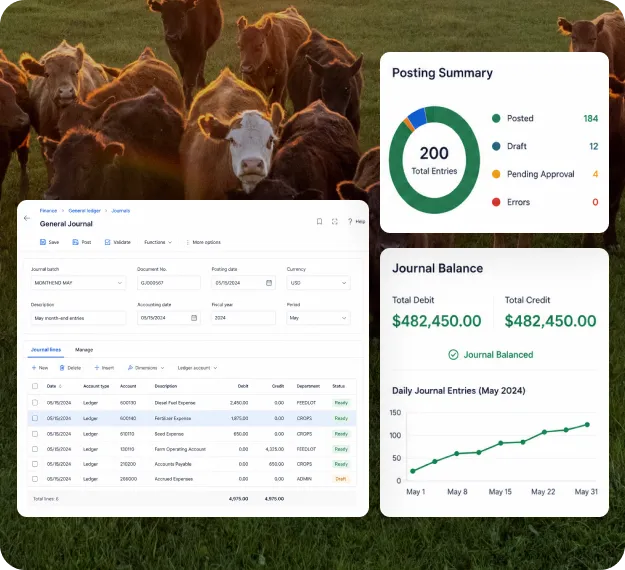
Financial records shouldn't pile up until harvest is over. Keep your books updated throughout the year, making month-end and year-end closing faster, cleaner, and far less stressful.
Record transactions daily instead of catching up weeks or months later.
Eliminate duplicate entries between farm operations and financial records.
Spend less time reconciling accounts and more time managing your business.
Financial Credibility
Always Have Lender-Ready Financials
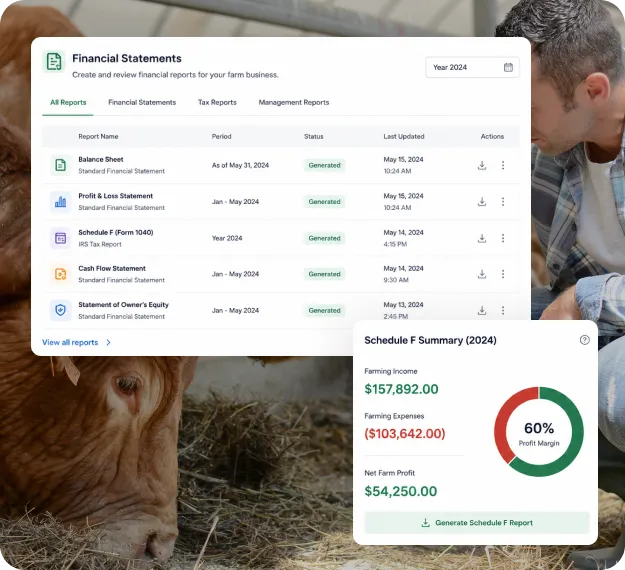
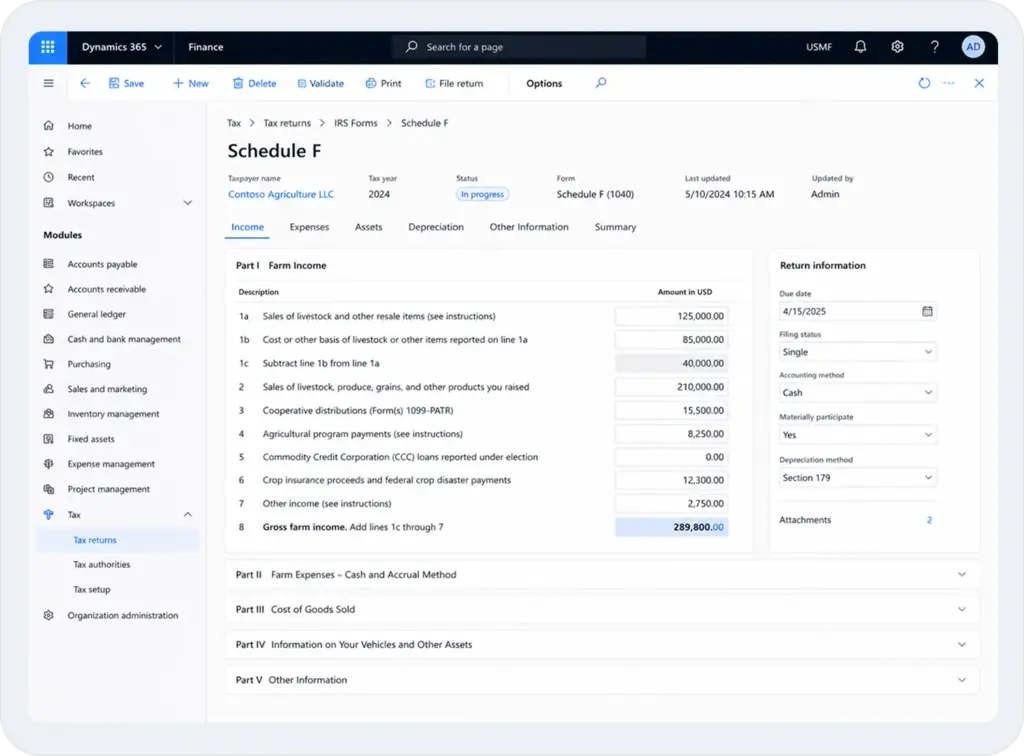
Generate accurate financial statements, Schedule F reports, and supporting documentation from one system, making lender reviews, tax preparation, and financial reporting easier every year.
Generate Schedule F reports without rebuilding financial records.
Deliver lender-ready financials backed by complete audit trails.
Keep financial information organized for accountants and advisors.
For Growing Farm Businesses
Grow Without Outgrowing Your Farm Accounting Software
Replace disconnected tools with one connected agriculture accounting software that keeps accounting aligned with every stage of your farm operations, giving you complete financial visibility as your business expands.
Keep finance, inventory, purchasing, and production working together.
Turn everyday operational activities into accurate financial records.
Support new farms, entities, or business lines without creating financial silos.
A Complete Financial Management Solution for Modern Agribusinesses
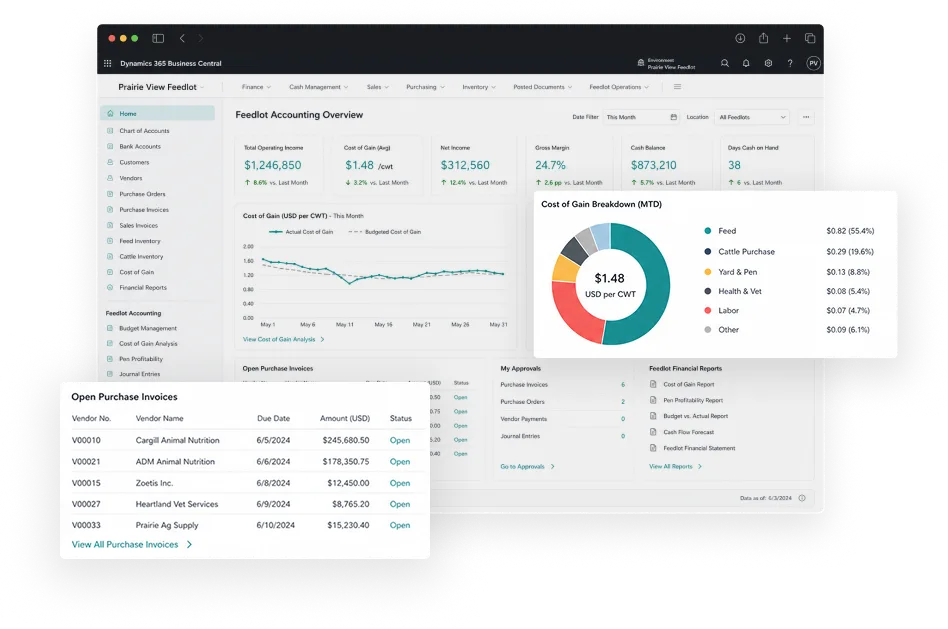
Go beyond basic farm bookkeeping software with an integrated accounting software for farmers that connects financials, purchasing, payroll, and operations, giving you complete visibility across every enterprise, entity, and season.
Accurate Books Across Every Farm, Entity, and Season
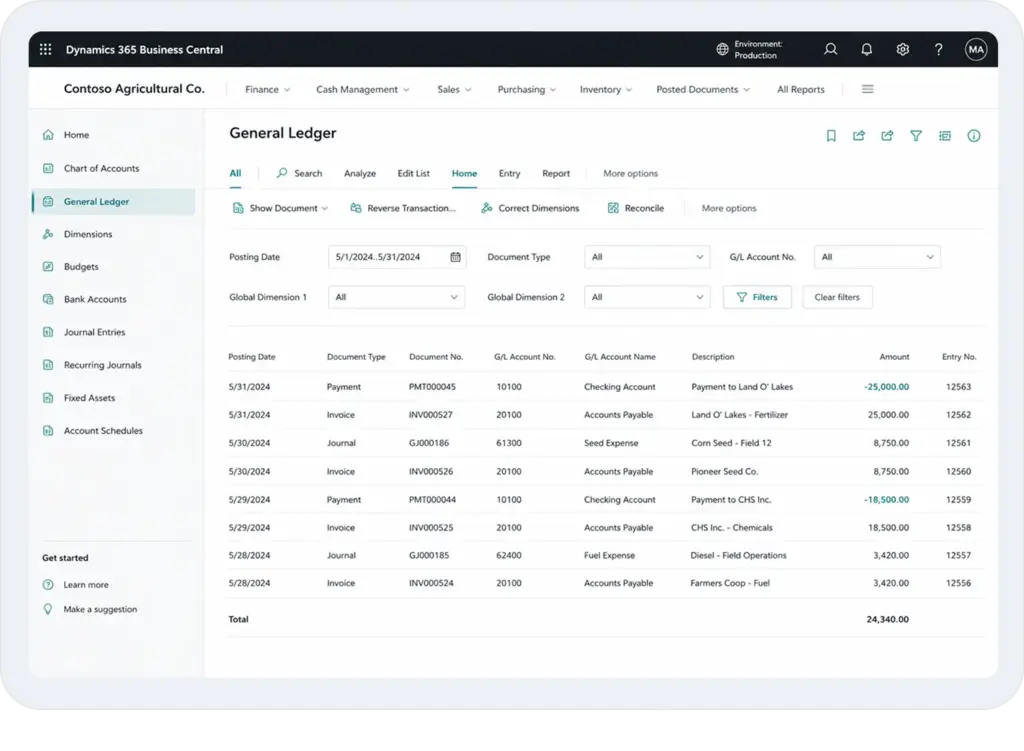
Maintain accurate financial records across all your farm entities and operating locations in one centralized ledger, with account structures configured specifically for agricultural businesses.
Farm Chart of Accounts: Account structures built around agricultural cost categories
Multi-Entity Management: Manage multiple farms and entities from one platform
Crop-Year Accounting: Support both crop-year and calendar-year accounting periods
Fixed Asset Tracking: Track equipment, machinery, and buildings through their lifecycle
ERP Integration: Built on Microsoft Dynamics 365 and NetSuite infrastructure
Stay on Top of Every Dollar Coming In and Going Out
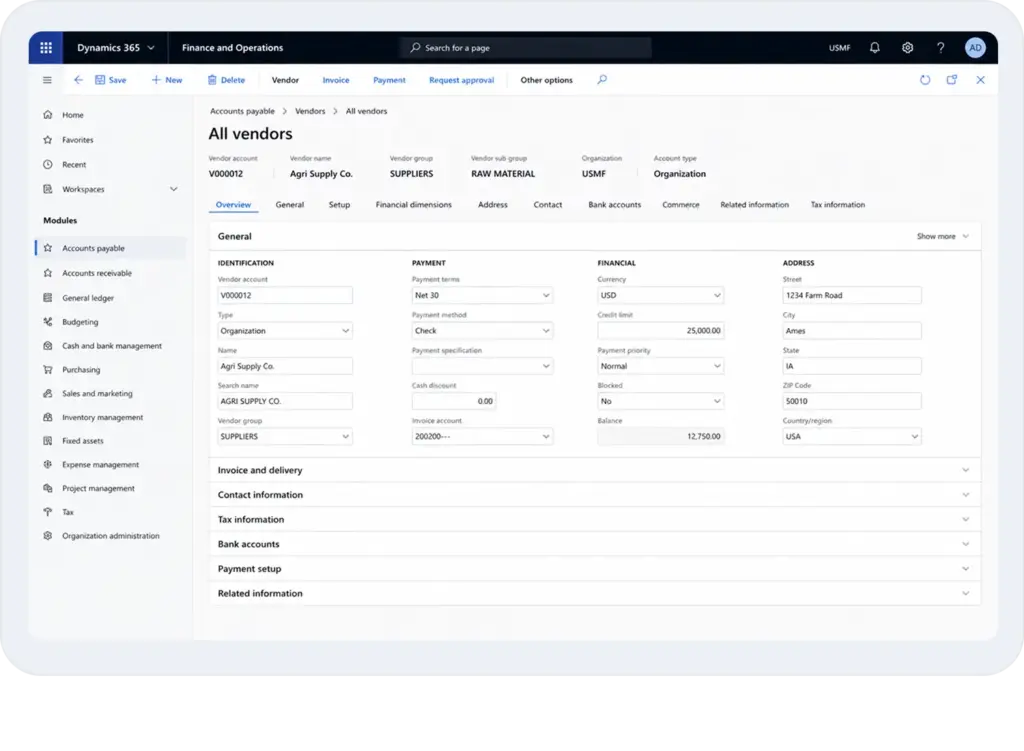
Track what you owe and what you're owed across suppliers, grain buyers, co-ops, and contract customers, with full visibility into outstanding balances at all times.
Vendor Invoice Management: Record and process supplier invoices without manual entry
Customer Payment Tracking: Monitor receivables across buyers and contract customers
Co-op & Input Billing: Import co-op and supplier invoices directly into the system
Cash Flow Visibility: See outstanding payables and receivables in real time
Plan Around Your Season, Not a Standard Fiscal Calendar
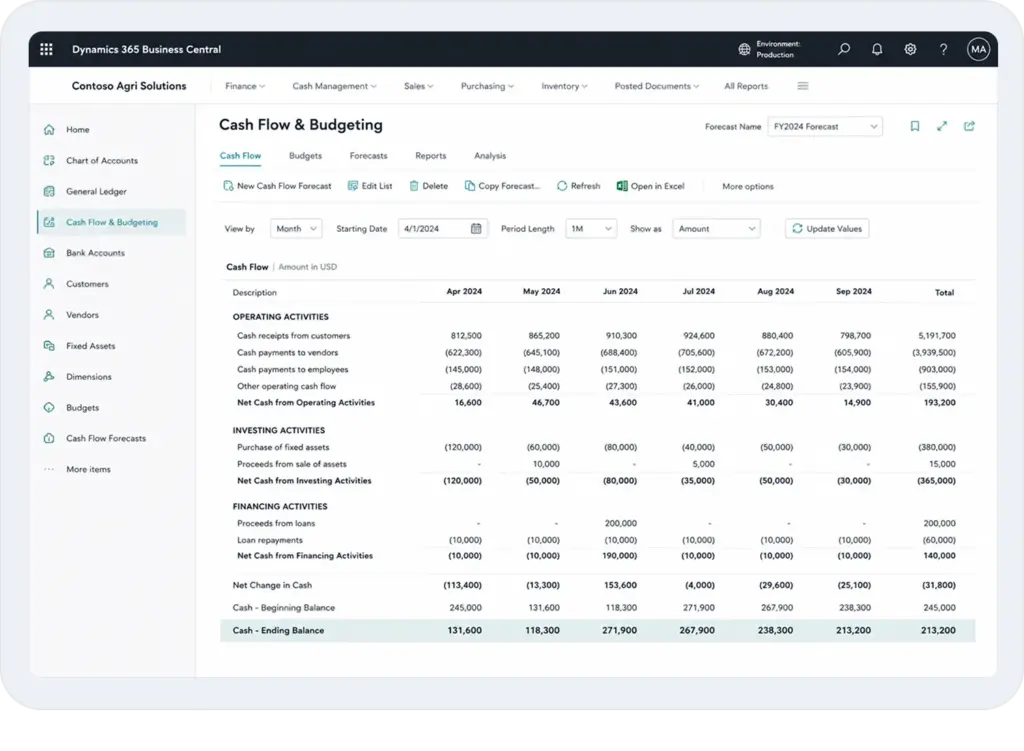
Build farm budgets, forecast seasonal cash positions, and track spending against plan throughout the year, with accounting software for agriculture designed around the financial cycles of agricultural operations.
Seasonal Budget Planning: Build budgets by crop, herd, or farm enterprise
Cash Flow Forecasting: Project upcoming cash positions based on current activity
Budget vs Actual Tracking: Compare planned spend against actual costs in real time
Input Price Scenario Planning: Model cost changes before committing to purchases
Multi-Entity Budgeting: Consolidate budgets across all farm entities in one view
Stay Prepared for Tax Season and Audits Year-Round
Keep financial records organized and compliant throughout the year using farm financial management software, so Schedule F preparation, lender documentation, and regulatory reporting are handled without scrambling at year-end.
Schedule F Reporting: Generate Schedule F reports from organized farm financial data
1099 Management: Produce 1099-NEC and 1099-PATR from existing transaction records
Audit Trail: Maintain complete history of every financial entry and approval
Depreciation Tracking: Calculate and manage depreciation for farm equipment and assets
Compliance Reporting: Produce reports required by lenders, auditors, and FSA offices
Get the Financial Visibility Your Farm Needs to Make Better Decisions
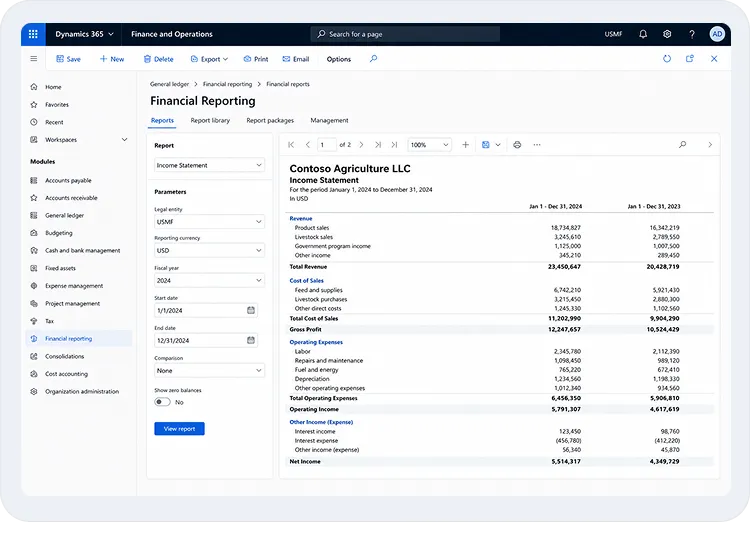
Generate accurate financial statements, profitability reports, and consolidated multi-entity views from live farm data, in the formats your management team, accountant, and lender need.
Financial Statements: Produce balance sheets, income statements, and cash flow reports
Profitability Reporting: Measure performance across crops, livestock, and business units
Lender-Ready Reports: Generate accrual-based financials for bank and FSA submissions
Consolidated Reporting: Combine data from multiple entities into one complete view
Custom Dashboards: Monitor key financial metrics with role-based reporting views
A Smooth Transition From Legacy Farm Accounting Systems
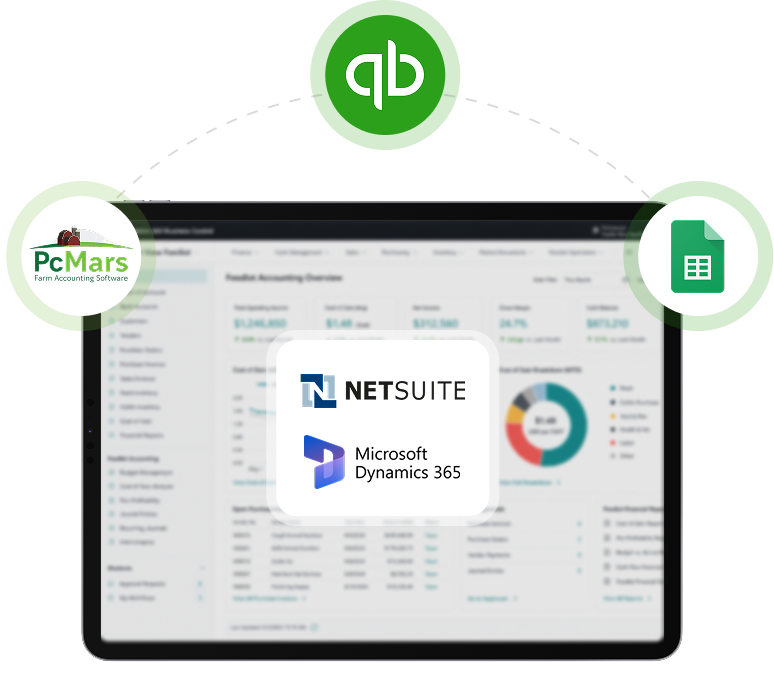
Replace QuickBooks, PCMars, UltraFarm, or spreadsheet-based accounting with modern cloud-based farm accounting ERP software, without disrupting your operation. We migrate your chart of accounts, historical transactions, opening balances, customers, suppliers, and other financial records, ensuring your new system is accurate, complete, and ready from day one.
See how Folio3 AgTech’s farm accounting software compares with QuickBooks, legacy farm accounting systems, and spreadsheets across the financial capabilities that drive better reporting, planning, and business performance.
Financial Capability
Folio3 AgTech
Legacy Farm Accounting Software
QuickBooks
Spreadsheets
Multi-Entity Financial Consolidation
Limited
Separate Files
Production Cost Visibility Across Operations
Basic
Manual
Cash & Accrual Basis Reporting
Limited
One Basis Only
Financial & Operational Data in One System
Partial
Working Capital & Seasonal Cash Management
Basic
Generic
Scenario Planning & Sensitivity Analysis
Basic
Manual
Board, Lender & Investor-Ready Reporting
Limited
Manual
Agricultural Tax & Regulatory Compliance
Partial
Generic
ERP-Grade Infrastructure for Business Growth
Results That Hold Up At Every Scale
From growing agriculture businesses to global enterprises, see how Folio3 AgTech helped each customer achieve its goals with technology built around its specific needs.
Native American Seed Gets Agriculture-First Lot Tracking and Automated Ecommerce Fulfillment
Agriculture-specific lot management, automated warehouse workflows, and real-time ecommerce integration gave a Texas seed company the operational infrastructure its catalog complexity demanded.
CalfTech
CalfTech Unifies Farm Operations and Finance With Cattlytics and Oracle NetSuite
A sequenced platform deployment replaced Summit and QuickBooks with Cattlytics and Oracle NetSuite, giving one of the West Coast's largest calf-raising operations a connected environment for its operations.
Rombola Family Farms
Rombola Family Farms Replaces Siloed Systems With a Connected Enterprise ERP
A full Dynamics 365 Finance and Operations implementation unified finance, supply chain, procurement, and inventory for one of Australia's largest fresh produce suppliers.
Weaver Popcorn Hybrids
Weaver Popcorn Hybrids Goes From a Legacy AS400 System to a Full ERP for Under $50K
A rapid Business Central implementation replaced legacy systems, automated grower settlements, and gave a growing seed company the financial visibility it needed to scale.
Growers Express
Growers Express Boosts Warehouse Accuracy and ERP Integration With AX Mobility Solutions
Warehouse throughput at a California produce company was limited by fragmented systems and manual entry. A Custom Dynamics AX solution by folio3 fixed both.
Agriculture ERP Resources
Explore guides, case studies, and best practices on ERP, digital transformation, and operational efficiency for modern agriculture businesses.
The CFO’s Guide to Assessing the Value of ERP In Feedlot Operations
The team has done a tremendous job from testing and deploying our DAX applications to go live. They have also helped develop a reusable pattern for scheduling processes used by multiple workers. We will definitely continue to lean on folio3 for future support of these applications.
Folio3’s initial project setup and understanding of ADM’s needs were superior to previous NetSuite providers. The project went live on time despite complexities and adjustments, integrating two new international entities. Team adapted to
changing requirements and handled last-minute customizations efficiently, and their deep NetSuite knowledge and effective delivery methodology exceeded our expectations.
Folio3 impressed me by learning a BI tool they did not have prior experience with and in a short amount of time produced analysis reports ready for business consumption. We are excited about the next set of critical reports Folio3 is working on for us and expect the relationship to continue for the foreseeable future.
I am happy to recognize the work that was done by the Folio3 team. Our end users are very satisfied with the user interface and the performance of the app — and are excited to be more mobile. I appreciate the hard work and commitment to deliver a top-quality solution. I look forward to continuing our business relationship.
We have been pleased with the work Folio3 has done. The main indicator of our satisfaction is that we continue to send work their way.
I believe Folio3 has been honest in its intent to provide the best solution for us, meaning I don’t sense any desire to over-design or give us more than we need just to bill more hours. I feel that the billing has been fair, and Folio3 has worked with us as needed. The quality of the work has been consistently high.
I appreciate Folio3's efforts in completing the latest round of changes and development work. Your efforts are appreciated, and we value Folio3's team's commitment to delivering projects on or before deadlines with a high level of accuracy
'Folio3 has consummate professionals who go above and beyond for their clients, and it's a joy to work with them. HALLS Organization looks forward to working with you in the future.
Deploying a rapid, out-of-the-box implementation model kept our total project cost under $50,000. It let us avoid the estimated $250,000 plus we would have spent custom-building a solution or running a heavy enterprise system like SAP, and we scaled transaction volume without adding finance headcount.
We commend Folio3 for their exceptional proficiency within the NetSuite environment and their advanced skills in NetSuite customization and integration. We really appreciate them navigating the system effectively and providing the necessary expertise for project completion. The team made sure all the timelines were followed and kept the project on track. Team is very courteous during meetings and correspondence, very responsible and respectful in the handling of inquiries. We look forward to continued collaboration with Folio3.
How do I know if I need farm accounting software instead of traditional accounting software?
Traditional accounting software is designed to record financial transactions, but it doesn't explain what those transactions mean for your farm. If you're relying on spreadsheets to calculate production costs, struggling to measure profitability by field or enterprise, or manually combining operational and financial data, it's time to consider farm accounting software built specifically for agriculture.
What should I look for when choosing the best farm accounting software?
The best farm accounting software should do more than handle bookkeeping. Look for software that tracks production costs, supports enterprise and entity-level reporting, manages cash flow, simplifies tax preparation, and connects accounting with purchasing, inventory, payroll, and production. As your business grows, it should also scale without requiring separate financial systems.
Can farm accounting software calculate my true cost of production?
Yes, but only if it combines financial transactions with operational data. Modern agriculture accounting software allocates direct and shared expenses across fields, herds, orchards, or enterprises, helping you calculate costs per acre, bushel, head, or unit produced instead of relying solely on total expenses.
How can agricultural accounting software improve cash flow management?
Agricultural businesses often deal with seasonal income and fluctuating expenses. Farm financial management software helps forecast cash flow, monitor outstanding receivables and payables, and understand future working capital requirements so financial decisions aren't based on outdated reports.
Can accounting software support multiple farms or legal entities?
Yes. Enterprise accounting software for agriculture should support multiple farms, legal entities, divisions, or business units within one system. This allows organizations to consolidate financial reporting while still tracking the profitability of individual operations.
Is farm bookkeeping software enough for a growing agricultural business?
Basic farm bookkeeping software is often sufficient for recording transactions, but growing businesses usually need more advanced financial management. Features such as budgeting, financial consolidation, production cost analysis, audit trails, and automated reporting become increasingly important as operations expand.
Can accounting software for farming help with lender financing and audits?
Yes. Lenders, investors, and auditors expect accurate and consistent financial information. Agricultural accounting software helps maintain organized financial records, generate supporting reports, and produce documentation that simplifies loan applications, audits, and year-end financial reviews.
What's the difference between accounting software and ERP software?
Accounting software for farming focuses on financial management, while an ERP connects accounting with purchasing, inventory, production, payroll, sales, and other operational processes. For larger agricultural businesses, combining accounting with ERP capabilities eliminates duplicate data entry and provides a more complete picture of business performance.
What accounting platforms is your solution built on?
Folio3 AgTech’s farm accounting software is built on Microsoft Dynamics 365 Business Central and Oracle NetSuite, giving agricultural businesses access to enterprise-grade financial management on proven ERP platforms. Depending on your requirements, we implement the solution on the platform that best aligns with your existing systems while extending it with agriculture-specific capabilities for production costing, inventory, purchasing, and financial reporting.
Can the software calculate production costs for different crops, herds, or farming operations?
Yes. The solution connects financial transactions with operational data to calculate production costs by field, herd, crop, enterprise, or production cycle. Whether you're looking for grain accounting software, dairy farm accounting software, livestock accounting software, or grower accounting software, it helps you understand your true cost of production instead of relying on spreadsheets and manual allocations.
Can your accounting software for farming integrate with my existing business systems?
Yes. The solution integrates with ERP modules, payroll systems, CRM platforms, inventory management, banking applications, and business intelligence tools through standard APIs and connectors. This allows financial and operational information to flow automatically, reducing duplicate data entry and improving the accuracy of your farm record-keeping software.
Can you migrate data from QuickBooks or another accounting system?
Absolutely. Whether you're replacing QuickBooks, Sage, legacy farm bookkeeping software, or another accounting software for farmers, Folio3 AgTech’s implementation team can migrate your chart of accounts, customers, vendors, opening balances, and historical transactions while preserving the integrity of your financial records.
Can Folio3 AgTech’s software for farm accounting support multiple farms or legal entities?
Yes. The solution can support multi-company and multi-entity accounting, making it ideal for businesses operating several farms, production facilities, or legal entities. You can generate separate financial statements for each operation while also producing consolidated reports across your entire farm business.
Can the solution be customized for my agricultural operation?
Yes. Every agricultural business has different financial processes and reporting requirements. Whether you operate a grain farm, dairy, livestock operation, produce business, or manage diversified farming operations, workflows, approval processes, financial dimensions, dashboards, and reports can be configured to match your business. This flexibility makes it a powerful accounting software for agriculture and agricultural accounting software for businesses of all sizes.
What implementation, support, and maintenance services do you provide?
Folio3 AgTech manages the complete implementation process, including solution design, configuration, data migration, integrations, testing, user training, and go-live support. After deployment, our team continues to provide technical support, platform maintenance, performance optimization, and enhancement services to ensure your accounting software for farm business continues to meet your operational and financial requirements as your business grows.
How are farm accounting software updates handled?
Because the solution is built on Microsoft Dynamics 365 Business Central and Oracle NetSuite, you'll benefit from regular platform updates, security enhancements, and new functionality. We also review agriculture-specific configurations during upgrade cycles to help maintain compatibility while minimizing disruption to your day-to-day accounting processes and supporting farm financial reporting automation.
How is our financial data protected?
Financial information is secured using the enterprise-grade security capabilities of Microsoft Dynamics 365 Business Central and Oracle NetSuite, including role-based permissions, encryption, audit logs, multi-factor authentication, and backup and recovery features. These controls help protect sensitive financial information while supporting compliance and internal governance.
Do you provide training after implementation?
Yes. We provide role-based training for accountants, finance teams, controllers, and system administrators. In addition to onboarding, our consultants offer ongoing guidance, documentation, and technical support to help your team get the most from the solution and quickly adopt new capabilities as your business evolves.
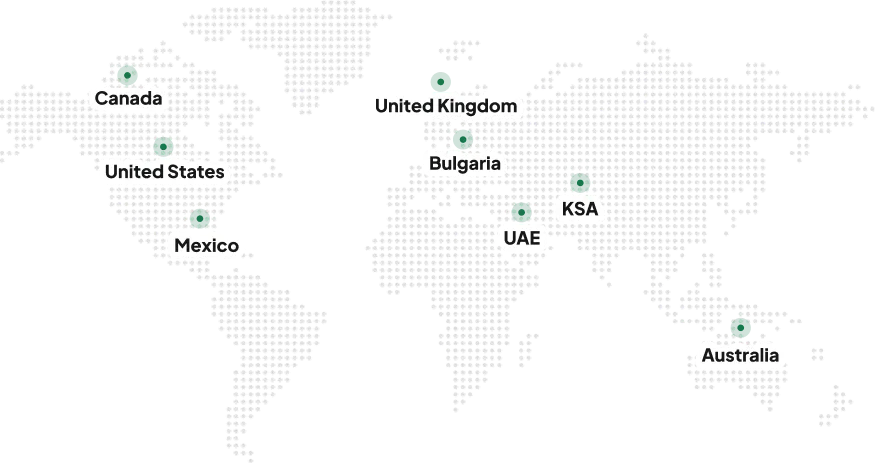
Serving the Agriculture Industry Globally Since 2004
Contact Us
Start Your Success Journey With Folio3 Today!
Get a Head Start with fast & scalable AgTech Solutions
Get a Free Consultation Within 24 Hours, with a No-Obligation Ballpark Estimate